
Lotus365 Login Not Working? Complete Troubleshooting Guide for 2025
If your Lotus365 login is not working in 2025, you’re not alone. Many users encounter problems such as incorrect password errors, unreceived OTP, account locks, or the app refusing to open at the most inconvenient time. The good news: most of these problems are simple to fix if you follow a step-by-step approach.
In this guide, you’ll learn how to fix the most common Lotus365 login problems—on both app and browser—along with security tips to keep your account safe. After trying each fix, you can simply go back to the official Lotus365 login page and try again.
Table of Contents
Common Lotus365 Login Problems (Quick Overview)
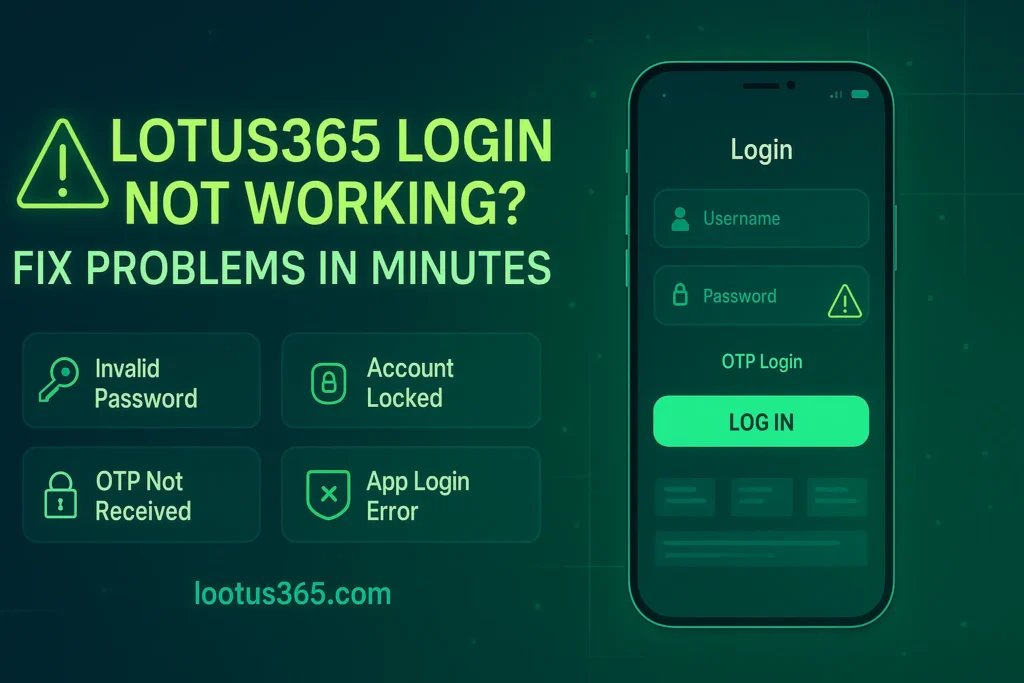
Before we dive into detailed solutions, here’s a quick list of what usually goes wrong:
- Wrong username or password
- OTP not received (SMS or email)
- Lotus365 account locked after too many attempts
- Session expired / login loop
- Lotus365 app login not working
- Browser issues (cache, cookies, VPN, etc.)
💡 Once you fix the relevant issue, log in only from the official Lotus365 login page to avoid phishing or fake sites.
Invalid Username or Password – How to Fix It
If you see “invalid credentials”, “login failed”, or “username/password incorrect”, start here.
Check Caps Lock & Typing Mistakes
- Make sure Caps Lock isn’t on when typing your password.
- Check for extra spaces at the start or end (especially if you copy-paste the password).
- Carefully type each character—special characters and numbers are easy to mis-hit on mobile.
If you changed your password recently, don’t rely on old saved passwords in your browser/app. Enter it manually once to confirm.
Verify Correct Mobile / Email / ID
Lotus365 logins often use:
- Registered mobile number, or
- Registered email, or
- A specific user ID is given at registration/through an agent.
Double-check:
- You are using the same mobile/email that was registered.
- You’re not confusing multiple IDs if you play on different platforms.
If you aren’t sure, look back through old messages, WhatsApp chats, or emails where your ID details were shared.
Use Official Lotus365 Login URL Only
Sometimes the problem isn’t your credentials—it’s the website itself. Fake or cloned sites will either not log you in at all or will keep throwing errors.
- Only log in from the official Lotus365 login page/bookmarked URL.
- Avoid typing the URL manually into the browser address bar. Instead, use a saved bookmark or a trusted link from your own site.
🔗 After correcting these details, try again on the official Lotus365 login page.
Lotus365 OTP Not Received on Mobile or Email
“Lotus365 OTP not received” is one of the most common complaints, especially during peak match times.
Wait 2–3 Minutes & Click Resend
- OTP delivery can sometimes be delayed by network congestion.
- Wait at least 2–3 minutes before assuming it’s failed.
- Use the “Resend OTP” option once—avoid hitting it repeatedly in a few seconds, as that can cause further delays or temporary limits.
Check Spam/Junk for Email OTP
If you’re expecting OTP via email:
- Open your Spam/Junk/Promotions folders.
- Search for the platform name or subject line related to OTP.
- Mark it as “Not spam” to help future emails land in your inbox.
Network Issues – Switch Data/WiFi
- Ensure you have a working mobile network or stable WiFi connection.
- If SMS is delayed on a weak network, move to a better signal area or switch to a different connection (WiFi ↔ mobile data).
Use Alternate Method (Email vs SMS)
If you have both email and mobile linked:
- Try OTP via email if SMS is not working.
- Or switch to SMS if email-based OTP is delayed or not arriving.
If none of these work, you may need to contact official support to check whether your number/email is correctly linked or temporarily blocked.
Lotus365 Account Locked After Too Many Attempts
Repeatedly entering wrong credentials can trigger a temporary account lock for security reasons.
Why Your Account Gets Locked
- Too many failed login attempts in a short period
- Trying incorrect OTP multiple times
- Suspicious login patterns from different devices/IPs
This is to protect your balance and data from brute-force attacks.
What to Do If Your Account Is Locked
- Wait the recommended time
- Many systems automatically unlock after a cooldown period (e.g., 15–30 minutes or more).
- Use “Forgot Password” instead of guessing
- If you’re not sure of your password, don’t keep guessing.
- Use the official “Forgot Password” option to reset.
- Contact official support (WhatsApp / live chat)
- If the lock doesn’t lift or you suspect suspicious activity, reach out to official Lotus365 support channels only.
- Be ready to verify your identity with registered details.
Once your account is unlocked, log in only from the official Lotus365 login page to avoid further problems.
Lotus365 Forgot Password – Instant Reset Steps
If you genuinely can’t remember your password, resetting is safer than trying random combinations.
Reset via Email
- Go to the Lotus365 login screen and click on “Forgot Password” (or a similar option).
- Choose email as your reset method if available.
- Enter your registered email address.
- Open your inbox and click the password reset link sent by the platform.
- Set a new, strong password and confirm.
Reset via SMS OTP
- From the login page, select “Forgot Password”.
- Choose mobile number/SMS as the reset method.
- Enter your registered mobile number.
- Enter the OTP received via SMS.
- Create and confirm your new password.
Reset with WhatsApp Support (If Others Fail)
If email/SMS reset isn’t working because:
- Your registered mobile/email changed, or
- You’re not receiving OTPs,
then:
- Contact official Lotus365 WhatsApp or support chat.
- Provide your user ID and basic KYC details as requested.
- Request a manual password reset or update to your contact information.
Pro Tips for Strong Passwords & Security
- Use a mix of uppercase, lowercase, numbers, and symbols.
- Avoid using your name, phone number, or easily guessable patterns.
- Don’t share your new password or OTP with anyone—not even “support” if they ask.
🔐 After changing your password, always use the official Lotus365 login screen to re-enter your details safely.
Lotus365 Login Not Working on Mobile App
If the Lotus365 app login is failing but browser login works, the issue is likely local to your device/app.
Check App Version & Update
- Open your app store or the official download source.
- Check whether a new version of the app is available.
- Outdated apps may have compatibility or security issues.
Clear Cache/Data & Reinstall
On Android (steps vary slightly by device):
- Go to Settings → Apps → [Lotus365 App].
- Tap Storage → Clear Cache.
- If needed, tap Clear Data (you’ll need to log in again afterward).
- If the problem remains, uninstall the app and reinstall from the official link only.
Avoid downloading APKs from random websites; they might be fake or outdated.
Try Mobile Browser Login as Backup
If app login still doesn’t work:
- Open Chrome/Safari/another browser on your phone.
- Go directly to your official Lotus365 login page.
- Log in via browser and continue using the site in mobile view.
Use browser access from the Lotus365 login page if the app continues to fail.
Browser Issues – When Lotus365 Login Fails on Desktop
If you’re using a laptop/PC and the Lotus365 login still shows errors or doesn’t load, try these browser fixes.
Clear Cookies & Cache
Over time, your browser stores old session data that might conflict with new login sessions.
- Open your browser settings.
- Clear the cache and cookies for a suitable time range (e.g., last 7 days or all time).
- Restart your browser and try logging in again.
Try Another Browser
- If you’re using Chrome, try Firefox, Edge, or another modern browser.
- Sometimes browser extensions or settings cause conflicts.
Disable VPN / Ad-Block (Temporarily)
- VPNs can sometimes trigger additional security checks or block access if your IP looks suspicious.
- Certain ad blockers, script blockers, or privacy tools may break login scripts.
Temporarily disable them for the official Lotus365 site only, then refresh the page and try logging in again.
Ensure HTTPS + Official Domain
Always confirm:
- The URL starts with
https://(secure) - The domain is the official Lotus365 domain you trust
If the page looks low-quality, different from usual, or has strange pop-ups, leave immediately. It might be a phishing clone.
Security Tips to Keep Your Lotus365 Login Safe
Fixing login problems is important—but keeping your account safe is even more critical.
- Never share OTP, password, or full ID with anyone, including people claiming to be support.
- Only use official support channels listed on the platform or your trusted partner site.
- Avoid logging in from public Wi-Fi (cafés, malls, airports) for deposits/withdrawals.
- Do not save your password on shared or public devices.
- Bookmark the official Lotus365 login URL and use that bookmark every time.
These steps reduce the risk of hacking, phishing, or account takeover.
When to Contact Official Lotus365 Support
Some login issues are routine, but others may signal a serious account problem.
Contact official Lotus365 support immediately if:
- You see balance changes or bets placed that you didn’t make.
- Your registered email or mobile number was changed without your permission.
- You receive OTPs or login alerts when you’re not trying to log in.
- Your account stays locked even after the waiting period and password reset.
For urgent matters, use:
- Official WhatsApp support (from a trusted source), and/or
- Official live chat / support contact on the platform’s website.
Never share sensitive documents with unknown or unofficial contacts.
Final Summary – Fix Issues, Then Log In Safely
Most Lotus365 login not working errors in 2025 come down to a handful of fixable issues:
- Wrong or mistyped username/password
- Delayed or missing OTP
- Temporary account locks due to repeated attempts
- App or browser cache/version problems
By following the steps in this guide—resetting your password, verifying your contact details, updating the app, clearing the cache, and sticking to the official domain—you can usually get back into your account safely.
Go to the Official Lotus365 Login and try again after applying the right fix.
Lotus365 Login – FAQs
Q1. Why is my Lotus365 login not working even with the correct password?
This can happen if your account is temporarily locked, your browser/app cache is corrupted, or you’re on a fake/cloned website. First, verify you’re on the official Lotus365 login page, then clear cache/cookies or update the app. If it still fails, reset your password using the “Forgot Password” option.
Q2. I’m not receiving my Lotus365 OTP on mobile. What should I do?
Wait 2–3 minutes, then use the “Resend OTP” option once. Check your network signal, try toggling aeroplane mode, or switch between mobile data and WiFi. If you have email OTP enabled, try that instead. If OTPs never arrive, contact official Lotus365 support to confirm your registered number.
Q3. My Lotus365 account is locked after too many attempts. How do I unlock it?
Stop trying to log in repeatedly and wait for the automatic unlock period (if mentioned). Next, use the official “Forgot Password” option to reset your password rather than guessing. If the account remains locked or shows suspicious activity, contact official Lotus365 WhatsApp/live chat support to verify your identity and restore access.



Pingback: Best DC vs LSG IPL 2026 Betting: Vizag Preview
Pingback: RCB vs CSK IPL 2026 Betting: Preview & Tips
Pingback: SRH vs LSG IPL 2026 Betting | Odds & Prediction
Pingback: Ultimate LSG vs PBKS IPL 2026 Betting Preview
Pingback: RCB vs GT IPL 2026 Betting: Odds & Preview 2026